

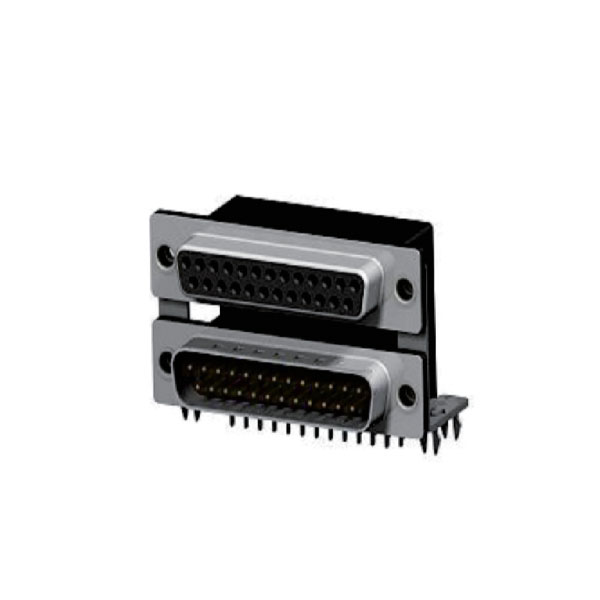
D-sub connectors are everywhere in industrial gear and computer interfaces, but here’s the burning question: Can they actually handle audio signals? Well, let’s be honest—it’s not a simple yes or no. It all depends on the setup and what you’re trying to do.
I’ve been around the block in electronics long enough to see folks try using D-subminiature (or just D-sub) for audio setups, only to run into headaches. So today, let’s cut through the noise and figure out when (and if) D-sub can actually work for audio.
What Exactly Is a D-Sub Connector?
The D-subminiature is a classic rectangular multi-pin connector, commonly found in computers (think VGA or serial ports) and industrial control systems. It’s got a sturdy metal shell, and the pin count ranges from 9 to 50—common types include DB9, DB15, and DB25.
Its strength? Rock-solid stability and solid noise resistance, which is why it’s a go-to for stuff like RS-232 communication. But here’s the catch: Audio signals have different demands than digital data. So, can D-sub really keep up?
Can D-Sub Handle Audio? Short Answer: Yes… But With Caveats
Technically, a D-sub connector is just a physical interface—it can carry analog audio if there are enough pins. In fact, some pro audio gear (like mixing consoles and broadcast equipment) uses DB25 connectors for multi-channel audio routing.
But here’s the problem: Standard D-sub wasn’t designed with audio in mind. Its impedance, shielding, and contact materials aren’t optimized like XLR or TRS jacks. Sure, you could push a mono signal through a DB9 in a pinch, but if you’re expecting crisp stereo? Yeah, don’t hold your breath.
Real-World Use Cases: When D-Sub Does Work for Audio
That said, you’ll still find D-sub handling audio in some niche scenarios:
-
Broadcast equipment: Older mixing desks sometimes use DB25 for 8-channel balanced audio—it keeps cable clutter down.
-
Custom audio rigs: Some engineers repurpose DB15 connectors for multi-speaker setups to simplify wiring.
But let’s be real: These setups usually need extra shielding and impedance tweaks to avoid noise. If you’re just trying to hook up your home speakers? There are way better options.
D-Sub vs. Dedicated Audio Connectors (XLR/TRS)
Why do pro audio folks swear by XLR or TRS? Simple:
-
Better noise rejection: XLR’s balanced design kills interference.
-
Superior contacts: TRS jacks handle frequent plugging/unplugging way better.
-
Tighter impedance control: Audio-specific connectors minimize signal loss.
D-sub was built for digital and industrial use—so slapping it into a hi-fi audio chain? Not ideal.
Who Should Actually Use D-Sub for Audio?
If any of these sound like you, maybe D-sub audio makes sense:
-
Audio engineers who need multi-channel routing and can tweak the circuitry.
-
Industrial users with gear that already has D-sub audio I/O.
-
DIY tinkerers who love experimenting with unconventional setups.
But for everyone else? Stick with XLR or TRS. Your ears (and sanity) will thank you.
The Bottom Line
Yes, D-sub connectors can transmit audio—but they’re far from the best choice. Their real strength is high-density wiring for specialized setups. For most users, dedicated audio interfaces are the smarter play.
So next time you spot a D-sub port, think twice before plugging in your speakers. Unless you’re ready for some engineering gymnastics, there’s probably a simpler solution.